
From photos to live on eBay.
Turn your photos and voice notes into a draft. Review the details, choose List on eBay, and Shelvio handles publishing.
Every item stays a draft until you review it and choose to List.
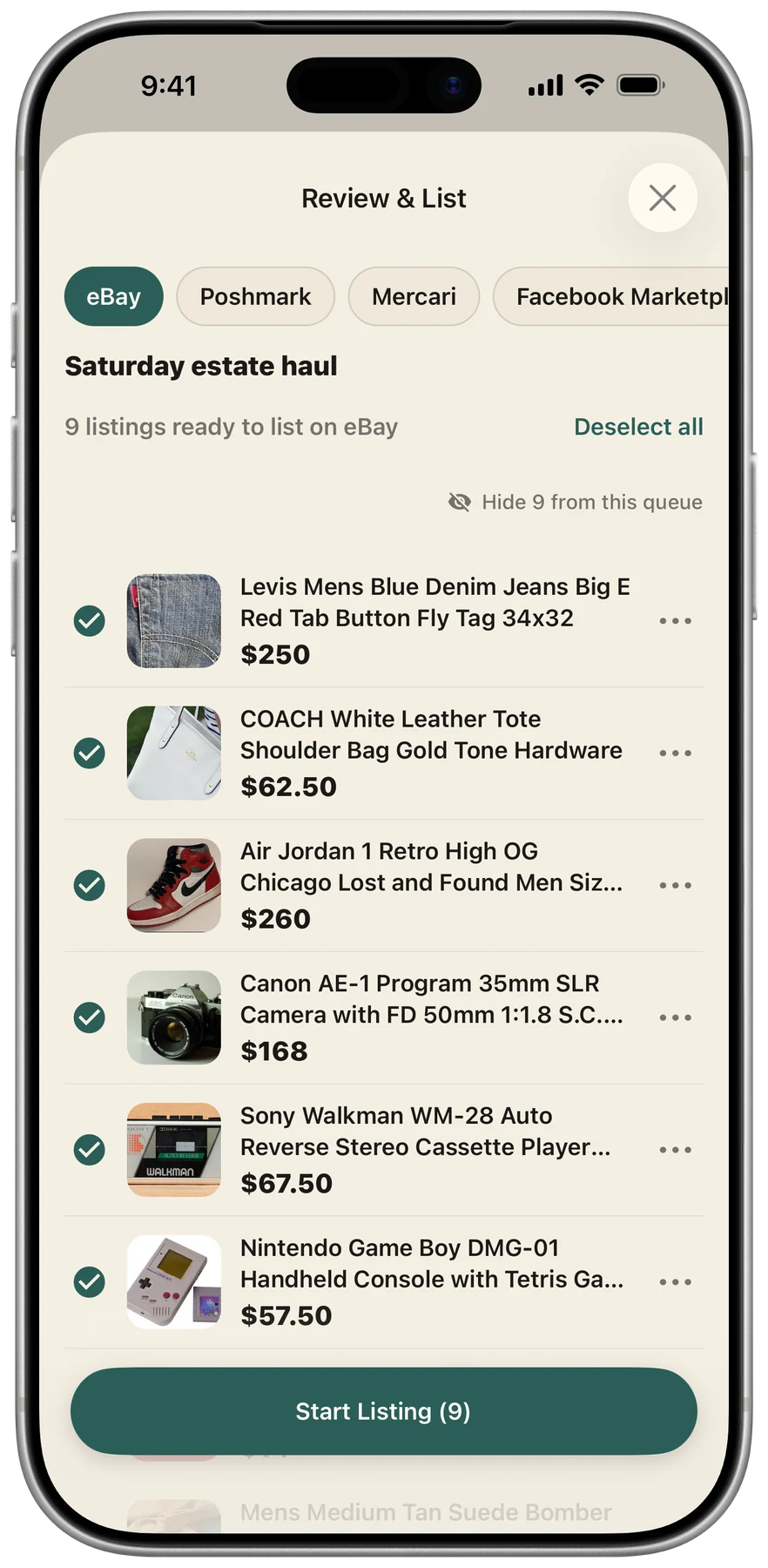
You review it. Shelvio takes it to eBay.
- 01
Capture your batch
Take the photos and add what you know about each item. Shelvio keeps everything together and writes the draft while you capture the next.
- 02
Review the details
Check the photos, title, condition, price, category, and item specifics. Shelvio checks with eBay and shows anything that needs attention.
- 03
Choose List on eBay
When the listing is ready, review shipping, returns, and any fee estimates shown. Tap List on eBay and Shelvio sends the reviewed listing directly to eBay.
- 04
Follow the result
Your item shows Publishing while eBay processes it, then Listed when it is confirmed. If something needs attention, open the item to see the next step.
Before your first listing.
Your Shelvio account
Use your usual Shelvio sign-in so your photos, batches, and drafts are already there.
Your eBay seller account
In Shelvio Settings, open eBay and connect your account. Sign in on eBay’s own page and finish any seller setup eBay asks for.
Shipping and returns
Choose your shipping and return defaults in Shelvio. The eBay settings screen shows which setup step to finish next.
Open Shelvio and get connected.
Head to Settings, then eBay. Already connected? Choose an item or batch and open Review & List.
On a phone, this opens the installed Shelvio app. If your phone cannot open it, continue in your browser or get the app. On a computer, Shelvio opens in your browser.
Start an eligible free trial through the App Store or Play Store: 3 days on Weekly or 7 days on Monthly or Annual. The trial includes full mobile and web access. Subscriptions started on the web through Stripe begin immediately with no trial.
See Shelvio plans