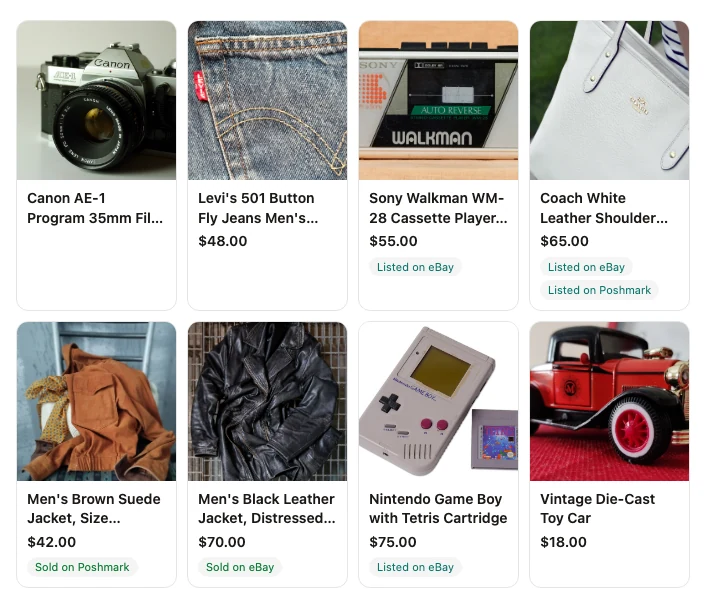





eBay
Available nowList directly from Shelvio.
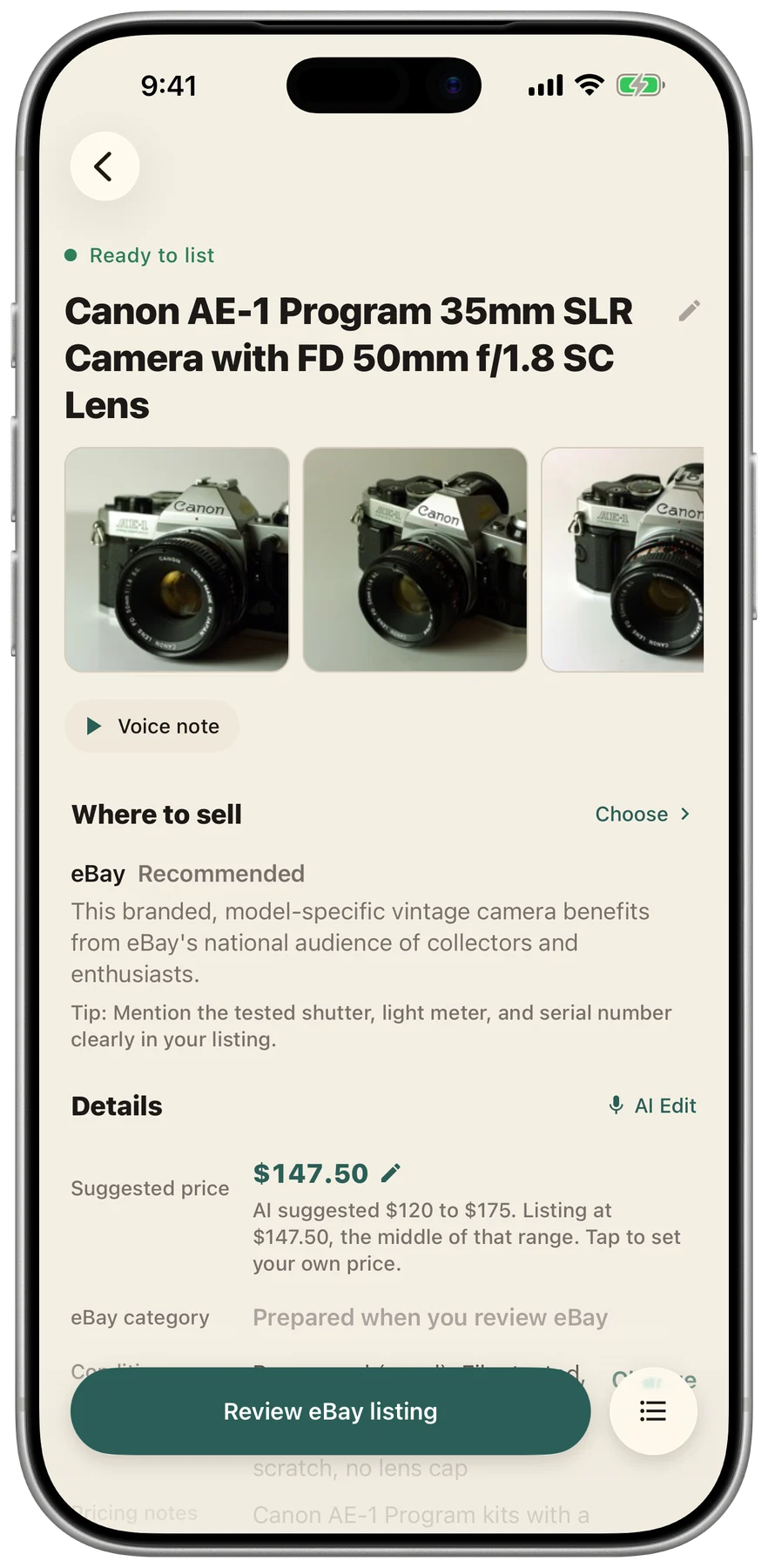
Connect eBay, review your draft, and tap “List on eBay.” Shelvio handles publishing.
Photograph each item and say what you know. Shelvio writes the draft while you capture the next, then helps you list it on eBay and everywhere else you sell.
Start your free trial in the Shelvio app. Get 3 days free on Weekly or 7 days on Monthly and Annual.
Snap it. Say it.
Ready to list.Room for the whole batch.
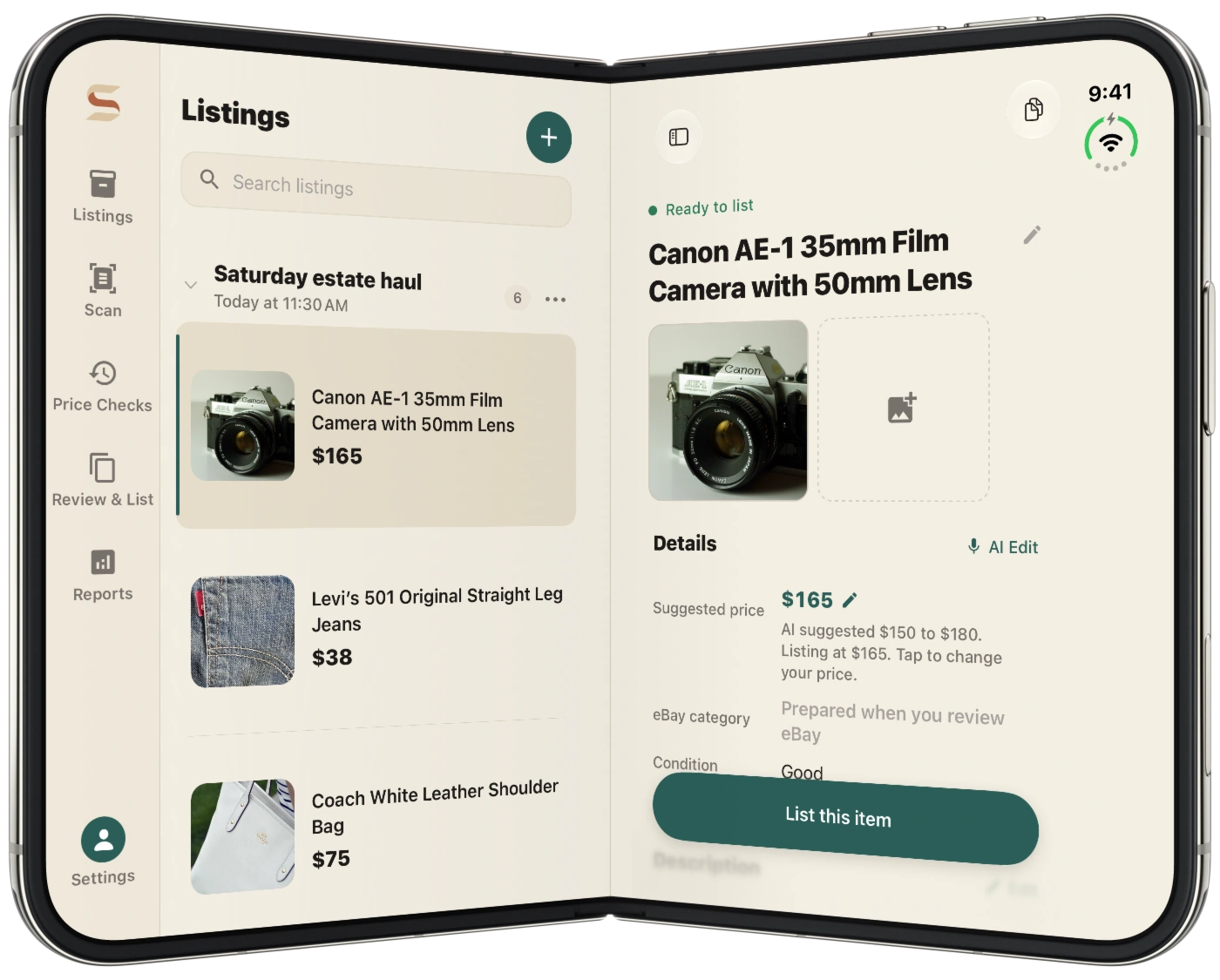
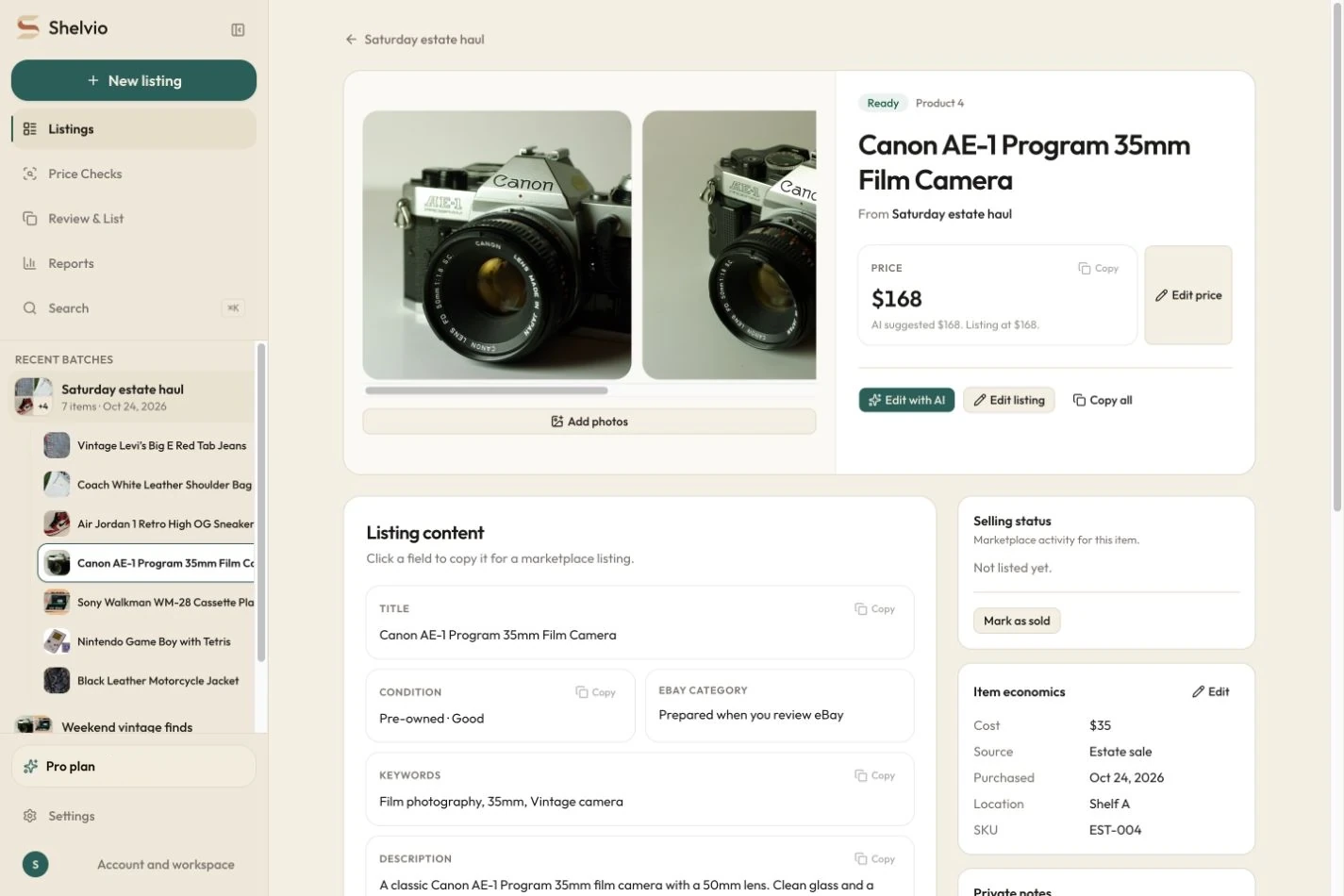
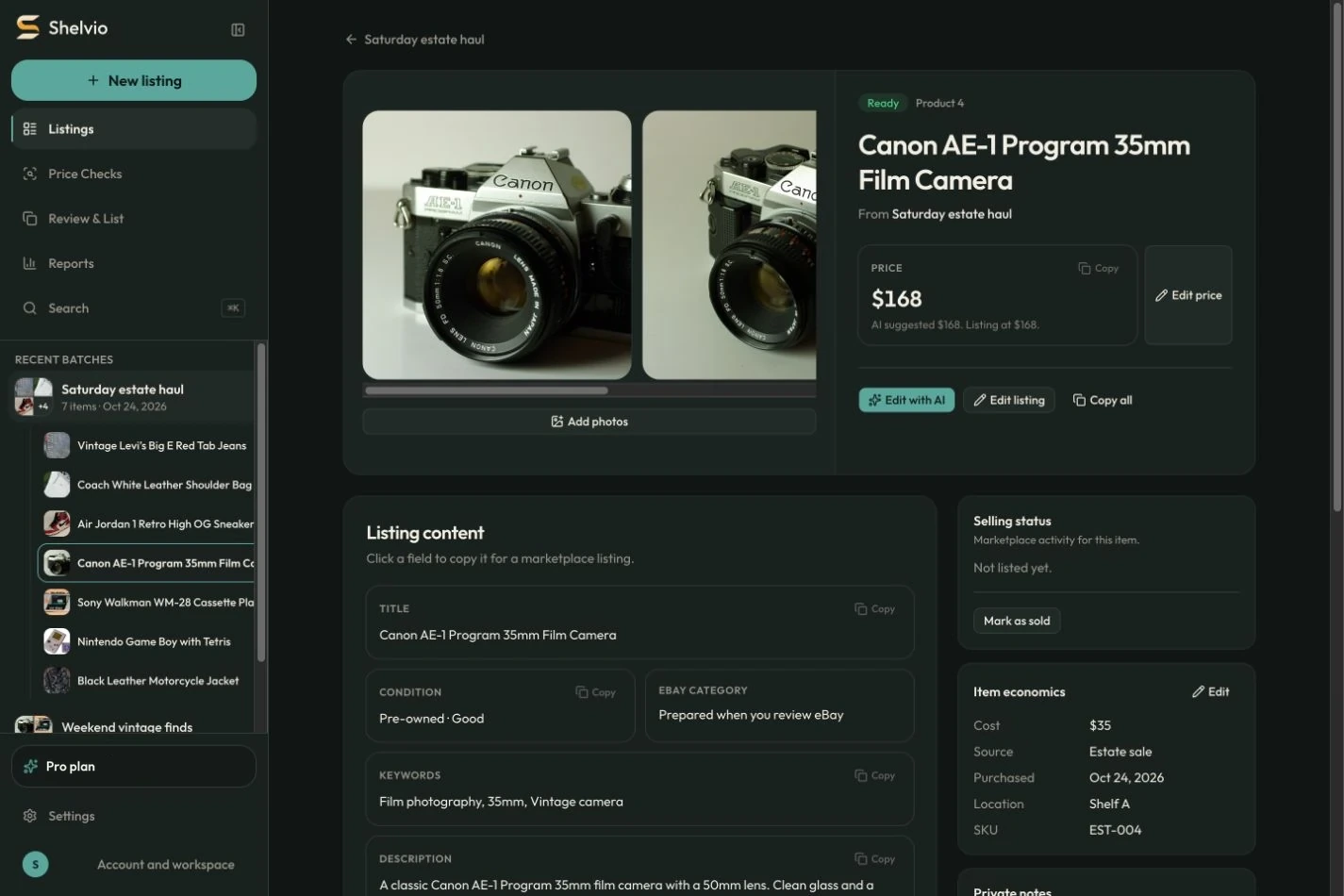
Capture on your phone. Keep listing on the web.
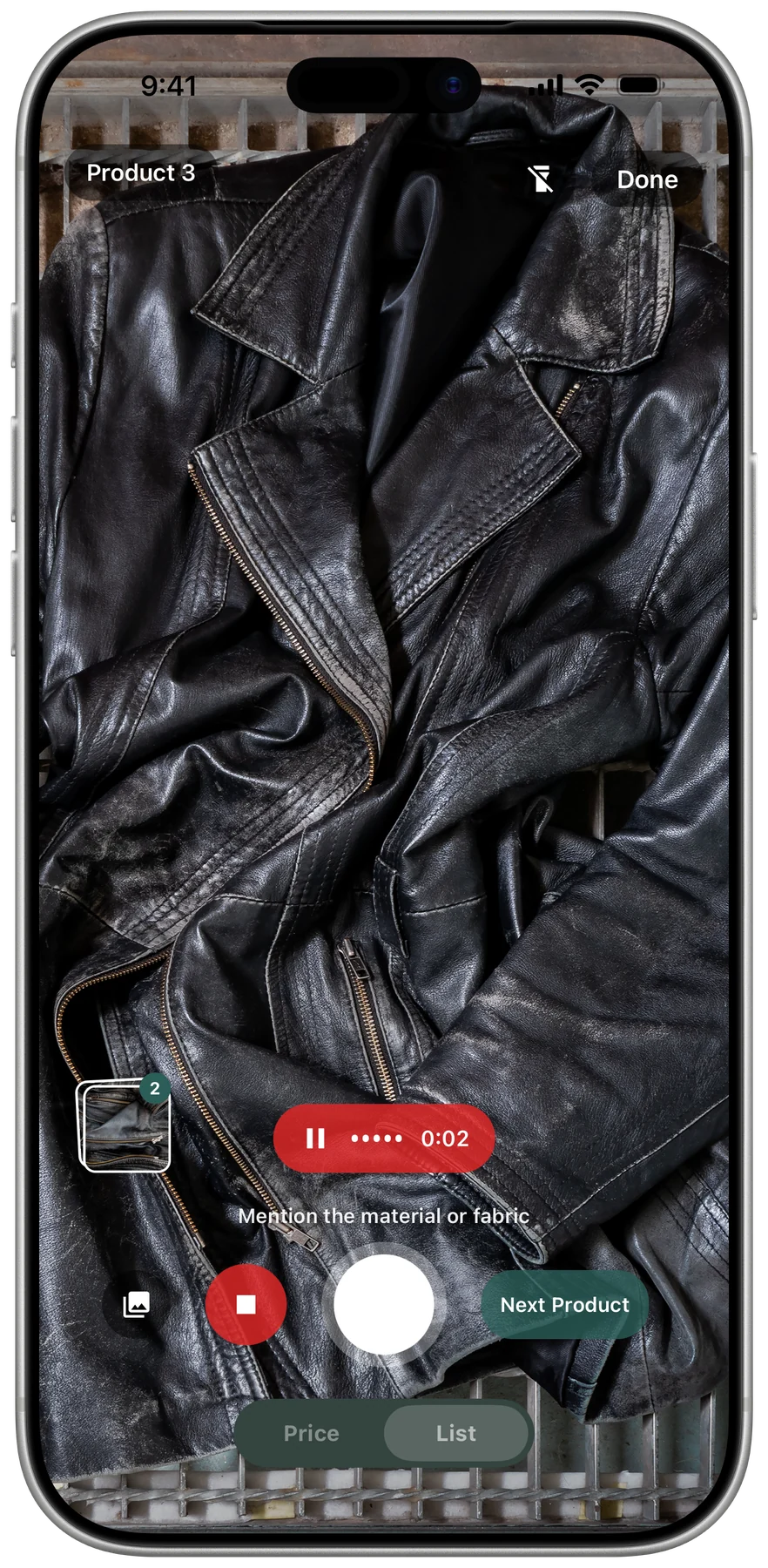
Take the photos, add a voice note if it helps, and tap Next Product. Shelvio keeps that item together and starts the draft while you reach for the next.
No signal? Keep capturing. Drafts start when you are back online.
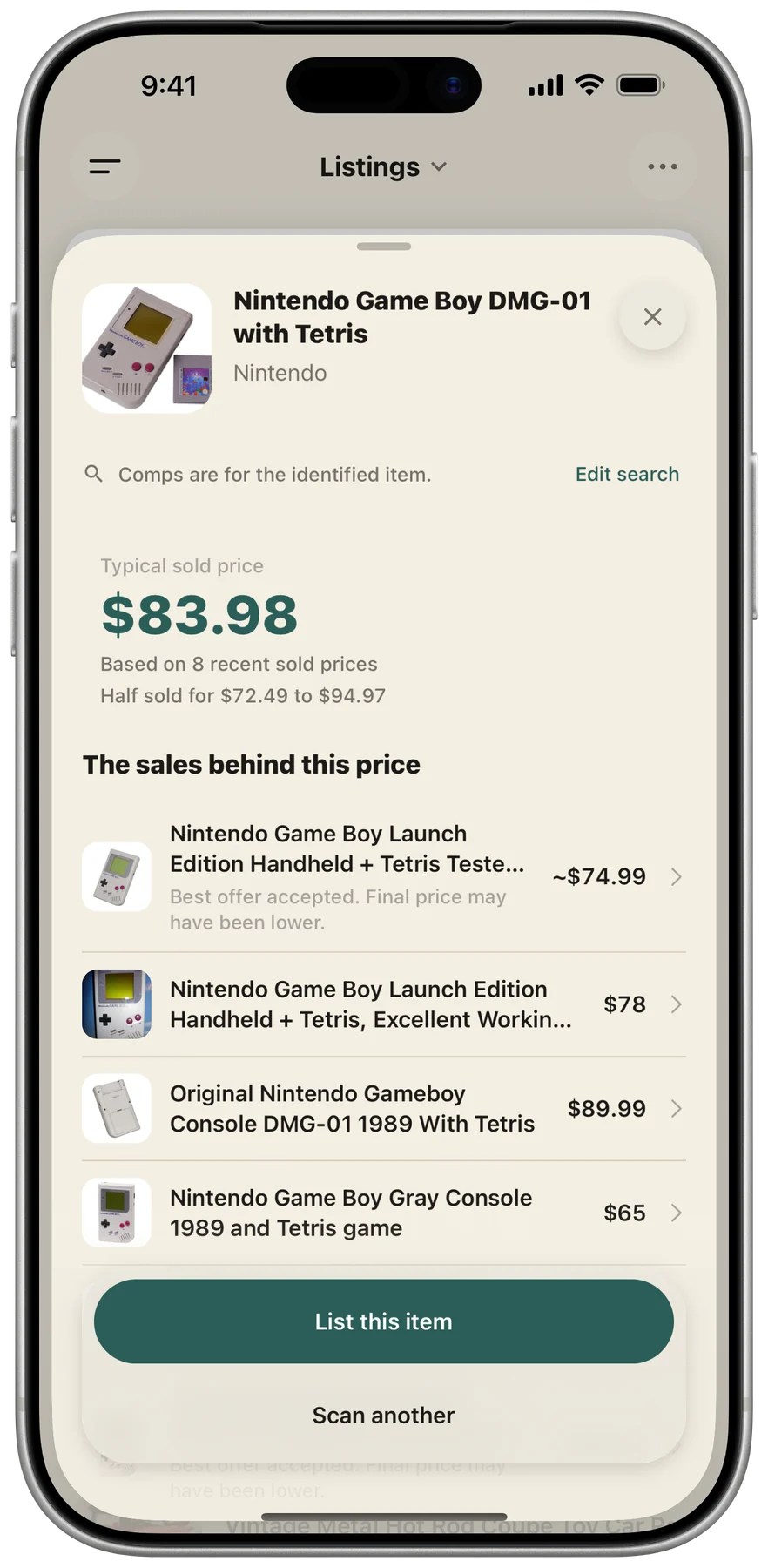
Photograph one item or scan its barcode. Shelvio identifies it and compares similar completed eBay sales so you can see recent sold prices.
Save the Price Check to your history. If the item is worth listing, turn the saved check into a draft on mobile. Sold comps show past transactions, not an appraisal or guaranteed value, so verify important pricing decisions.
Mention measurements, flaws, working condition, missing parts, or provenance while the item is in your hands. Shelvio keeps that context with the correct photos and works it into the draft.
Review and edit anything before the listing goes anywhere.
You said
Big E Levi's jeans. Red tab is all uppercase. Button fly works.
Tag says 34x32, but they measure about a 33-inch waist.
Fading from age. No rips or stains. Hems are clean.
Shelvio drafts
Description
Vintage Levi's jeans featuring the Big E red tab, indicating production prior to 1971. Features include a button-fly closure. The interior tag states 34x32; per the seller, the denim has shrunk and currently measures approximately a 33-inch waist. The denim exhibits fading, consistent with age. Per the seller, there are no rips or stains, and the hems are clean. The button-fly mechanism is functional.
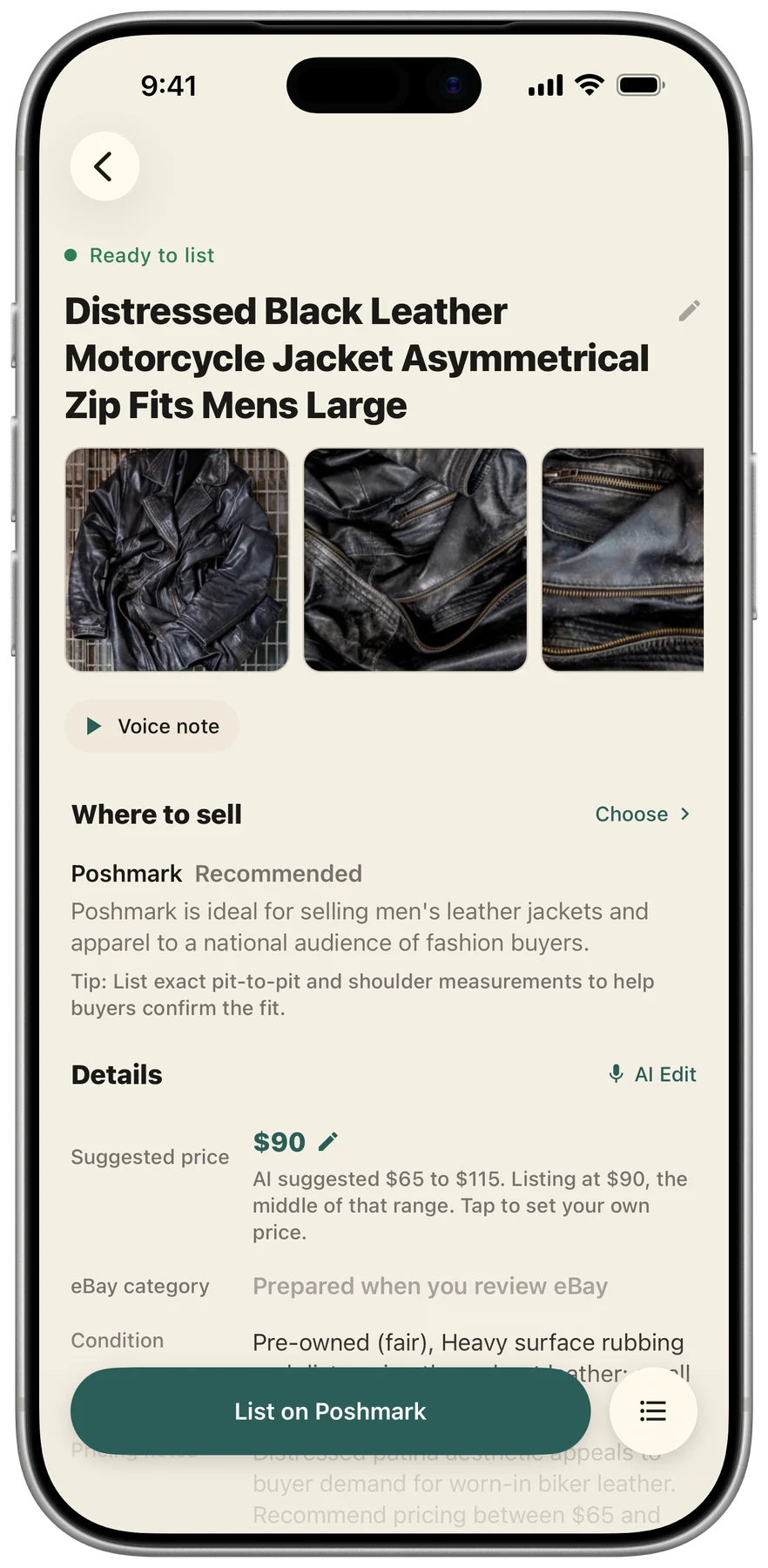
Review and edit every draft in the mobile app or web app. When you are ready, choose a marketplace and Shelvio guides the next step.
eBay lists directly after you review and tap “List on eBay.” Poshmark, Facebook Marketplace, Mercari, Depop, Etsy, and other destinations use manual listing today, with Shelvio guiding you through finishing in the marketplace app. We are working to bring direct listing to more marketplaces.
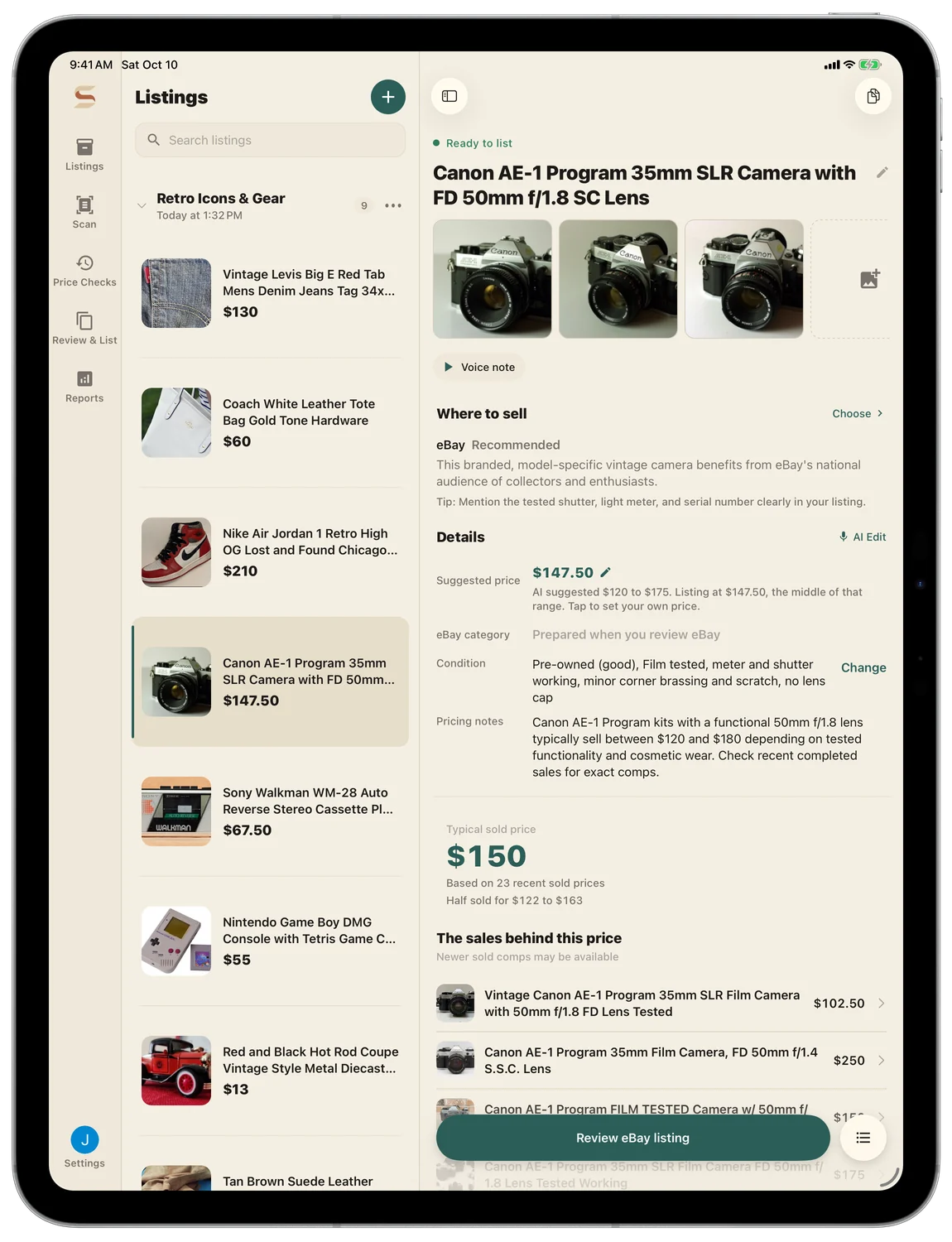
List directly from Shelvio.
Connect eBay, review your draft, and tap “List on eBay.” Shelvio handles publishing.
Shelvio guides you through taking your photos and details into the marketplace app, where you finish the listing.
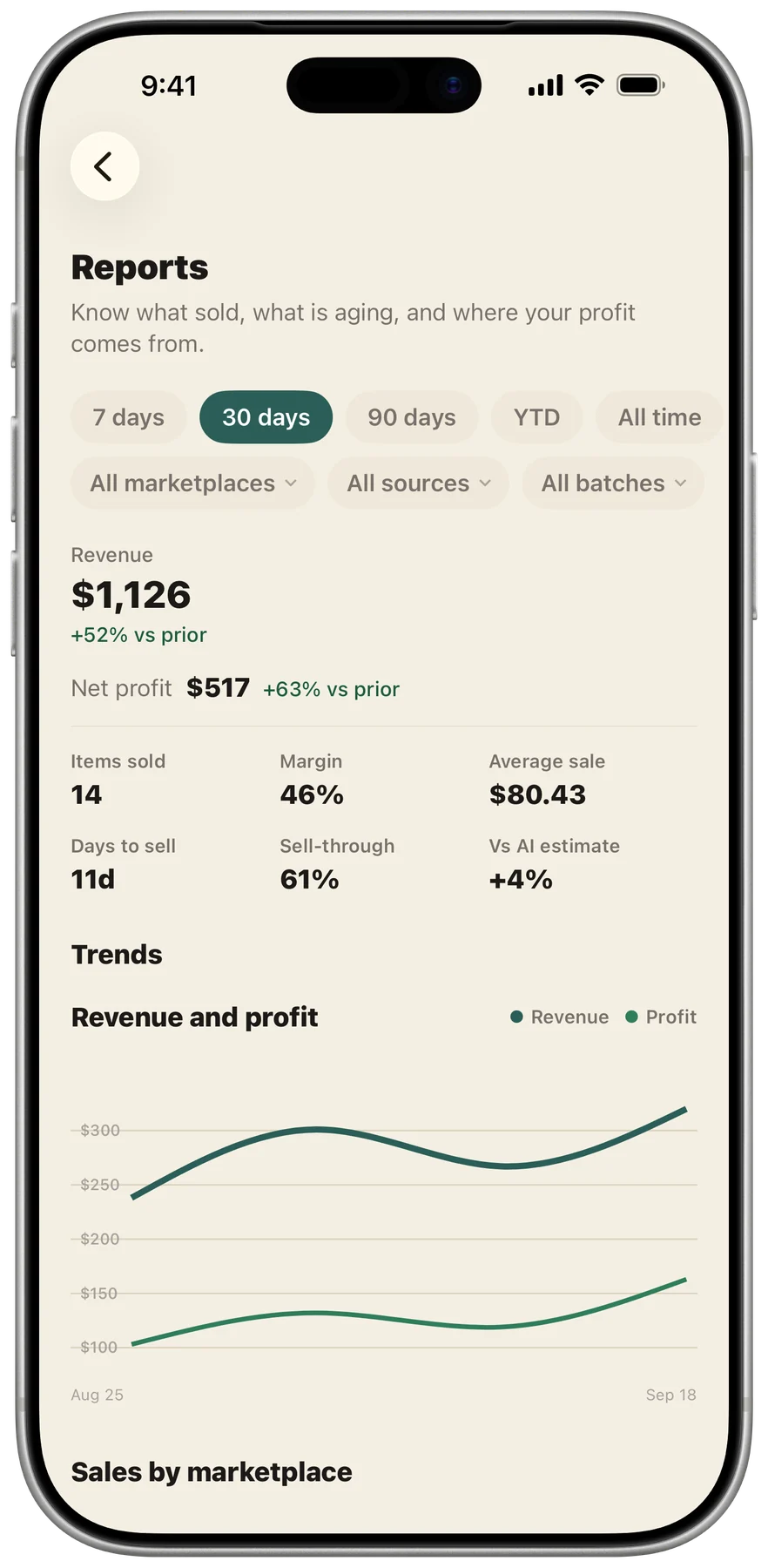
Keep each item's cost, purchase source, storage location, SKU, marketplace status, sale price, fees, seller-paid shipping, and item-level profit with the same item.
Shelvio calculates item-level profit as sold price minus item cost, recorded fees, and seller-paid shipping. Sales and inventory reports show the recorded business data as a whole; export to CSV for custom analysis elsewhere.
Kept with the same item
Connect Shelvio to the assistant you already use. It can turn photos into listings, get items ready for eBay, and find anything in your inventory. eBay listings still go live only when you press List on eBay.
Bring home the haul. Leave with the listings already moving.
Choose Weekly, Monthly, or Annual billing. Every plan includes 250 listings a month and every feature.
$9.99/ week
3-day trial via the mobile app · includes web access
The same tools with weekly billing. Renews weekly until canceled.
$24.99/ month
7-day trial via the mobile app · includes web access
The same listing, tracking, and reporting tools with monthly billing.
$179/ year
7-day trial via the mobile app · includes web access
$14.92 per month when billed annually.
Listings renew each month on the day your subscription started, or the last day of shorter months. Editing or regenerating a listing never uses another one.
Practical guides for processing a haul, clearing an inventory backlog, and choosing the right listing workflow without giving up seller control.
A practical batch workflow for photographing, describing, drafting, reviewing, and tracking a thrift haul without restarting for every item.
Read guideTurn an unlisted inventory backlog into small, finishable batches with triage rules, capture checkpoints, and honest keep-or-exit decisions.
Read guideUnderstand when a reseller needs faster item capture, broader marketplace distribution, or both—and the account risks each workflow introduces.
Read guideShelvio helps you check recent sold comps, capture unlisted items, turn their photos and details into listing drafts, move reviewed listings to marketplaces, and keep each item's cost, storage location, status, sale, fees, and item-level profit together.
Yes. Capture one item at a time so each draft gets the right photos and details. Tap Next Product when you are done and keep moving. Shelvio starts the draft while you reach for the next item.
Clothing, shoes, bags, toys, books, electronics, collectibles, home goods, vintage finds, estate items, and more. Details such as measurements, flaws, era, pattern, color name, and authentication markers help Shelvio create a stronger draft.
You can capture photos and voice notes offline in basements, garages, storage units, and other dead zones. Drafts start when you are back online.
Shelvio has listing workflows for eBay, Poshmark, Mercari, Depop, Etsy, and Facebook Marketplace, plus a Custom workflow for other destinations. Listing options vary by marketplace: eBay currently supports direct listing after review, while the other named marketplaces currently use Review & List to prepare a ready-made listing you finish in the marketplace’s app.
Yes. Connect Shelvio to ChatGPT or Claude and ask for what you need: create a listing from photos, get an item ready for eBay, change a price, or record a sale. eBay listings still go live only when you press List on eBay in Shelvio's preview. Setup steps are on the AI assistants page at shelvio.ai/ai-assistants.
No. Every listing stays a draft until you review it and choose to list it. For eBay, tap “List on eBay” after review to list directly. For other supported marketplaces, Review & List prepares a ready-made listing you finish in the marketplace’s app.
Edit it before posting. Review the brand, size, condition, flaws, measurements, price, and category. You know the item best, and nothing goes live until you choose.
Photograph one item or scan its barcode. Shelvio identifies it and compares similar completed eBay sales, then saves the Price Check in your history. The results are recent sold comps, not an appraisal or guaranteed value. On mobile, you can turn a saved check into a listing draft.
Shelvio is available on iPhone, Android, and the web. The mobile apps are built for capture and also support review, editing, reports, and listing. The web app supports Price Checks, draft review, editing, reports, and listing management on a bigger screen.
No. Your photos, notes, and listings are used to create your drafts and run your account. They are not used to train our models or anyone else's.
Every plan includes 250 listings a month, Weekly included. Your month starts on the day your subscription starts, and a free trial counts toward your first month. Editing or regenerating a listing never uses another one, and unused listings do not roll over. If you reach the limit, your drafts and photos are kept and new listings open up on your reset date. Plans are for one seller's own reselling. Need more? Contact us.
Yes. Weekly is a $9.99 subscription that renews until canceled. You can cancel anytime and keep access through the week you already paid for.
Download Shelvio to start an eligible free trial through the App Store or Play Store: 3 days on Weekly or 7 days on Monthly and Annual. The trial includes full mobile and web access. Subscriptions started on the web through Stripe begin immediately with no trial.
Keep the photos, details, and drafts together from the start.


 Shelvio